Asterisk Outlook Dialer1.08
Publisher Description
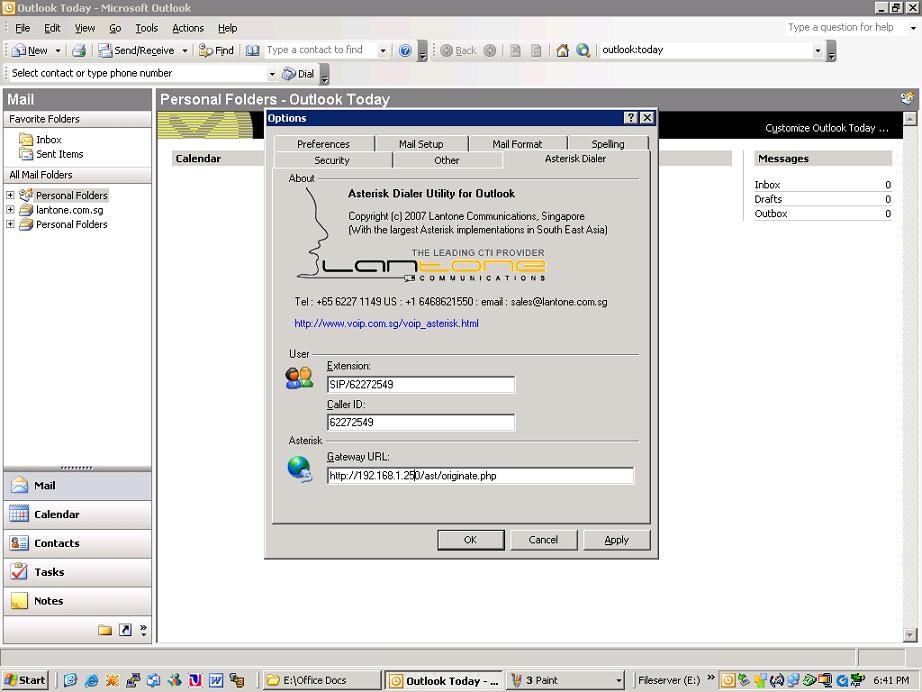
The asterisk outlook dialer was born out of a need for a secure way to dial from MSOutlook via an asterisk server. Solutions we examined in the market were either not secure due to the fact that the Asterisk Manager password needed to be keyed into the Outlook component or were too bulky for what we were trying to do. On large installations, exposing the Asterisk Manager password was a *big* security risk (in our opionion at least) as well as an extra step needed for the administrator.
We decided to implement our own MSOutlook dialer which would overcome the issue of both security and size of the component. The Asterisk Outlook Dialer is implemented as a php script that runs on the asterisk server (apache). This php script acts as a "proxy" between the Asterisk server and the Oulook component. It uses the Asterisk Manager to log on and execute commands on the Asterisk box. The Outlook Dialer calls this script with the parameters such as the extension to be dialed, the number to be dialed, the callerID etc. It comes with a small installer (400K) which installs the outlook component. The php script needs to be dumped into your www folder. The main advantage of this approach is the php acts as a proxy to the Asterisk server and therefore very little configuration is necessary on the client (Outlook) end.
About Asterisk Outlook Dialer
This Email Clients program is available in English. It was last updated on 29 September, 2026. Asterisk Outlook Dialer is compatible with the following operating systems: Windows.
The company that develops Asterisk Outlook Dialer is VOIP Singapore. The latest version released by its developer is 1.08. This version was rated by 2 users of our site and has an average rating of 2.5.
The download we have available for Asterisk Outlook Dialer has a file size of N/A. Just click the green Download button above to start the downloading process. The program is listed on our website since 2007-03-06 and was downloaded 183 times. We have already checked if the download link is safe, however for your own protection we recommend that you scan the downloaded software with your antivirus. Your antivirus may detect the Asterisk Outlook Dialer as malware if the download link is broken.
How to install Asterisk Outlook Dialer on your Windows device:
- Click on the Download button on our website. This will start the download from the website of the developer.
- Once the Asterisk Outlook Dialer is downloaded click on it to start the setup process (assuming you are on a desktop computer).
- When the installation is finished you should be able to see and run the program.
